This post is for your teams that manage the payroll program you build on Salsa: such as support, operations, engineering, product, marketing.
The Salsa MCP server is a connector. You add it to the AI client your team already uses, such as ChatGPT, Claude, Gemini, Cursor, Gumloop, Intercom, or another MCP-capable client. Then that client can look up your Salsa data, and change it when you allow that.
The problem today
An employer writes in to ask why payroll didn't go out. To answer, someone on your team opens the Salsa dashboard, writes an API query or opens a ticket with us. The answer is in Salsa. Getting to it takes time, and the employer waits.
It's the same in the rest of your company. Operations wants to know which employers are at risk before a pay date. Engineering wants to see what Salsa receives when a submission fails. Product wants a number no dashboard shows. Each question turns into a lookup, a query or a request.
What the MCP server changes
MCP (Model Context Protocol) is an open standard that AI clients use to connect to other software. Our MCP server is built on the Salsa GraphQL API. Once you connect it, you can ask your AI client about your employers, workers and payroll in plain language. It answers from live Salsa data.
- You sign in as yourself, so you never paste an API key into a chat. Your AI client can see and change only what your Salsa user can see and change.
- Ready-made tools cover the common jobs. They find an employer or worker, get payroll details and generate reports. You get the answer without writing a query.
- When a ready-made tool doesn't return the field you need, your AI client searches the schema and writes its own query. Those queries can't change data, so you can ask freely.
- If you only want to look things up, connect to the read-only URL. Your AI client can then read your data but can't change anything. We recommend it as your default.
- Your agents can connect too. Agents, scheduled jobs and agent platforms use their own OAuth client credentials and get access tokens that last one hour. Your automations then run without anyone's login.
“Shortly after Claude Code was released, we saw non-technical users internally at Salsa gain massive advantage from the ability to interact with our APIs, without needing much training or prior expertise. We started building dashboards, workflows and mini-apps to make our lives easier. With this MCP, we can now safely and securely bring those same capabilities to our partners” - Ahad
What it looks like for your teams
Support
Before you reply to an employer about a payroll, ask your AI client for the facts. Your reply then starts from Salsa data from where you already work, not from a guess or an escalation to Salsa:
"List the five most recent payroll runs for employer Juniper Salon with their status and totals. Then show the per-worker breakdown of the most recent run."
Operations
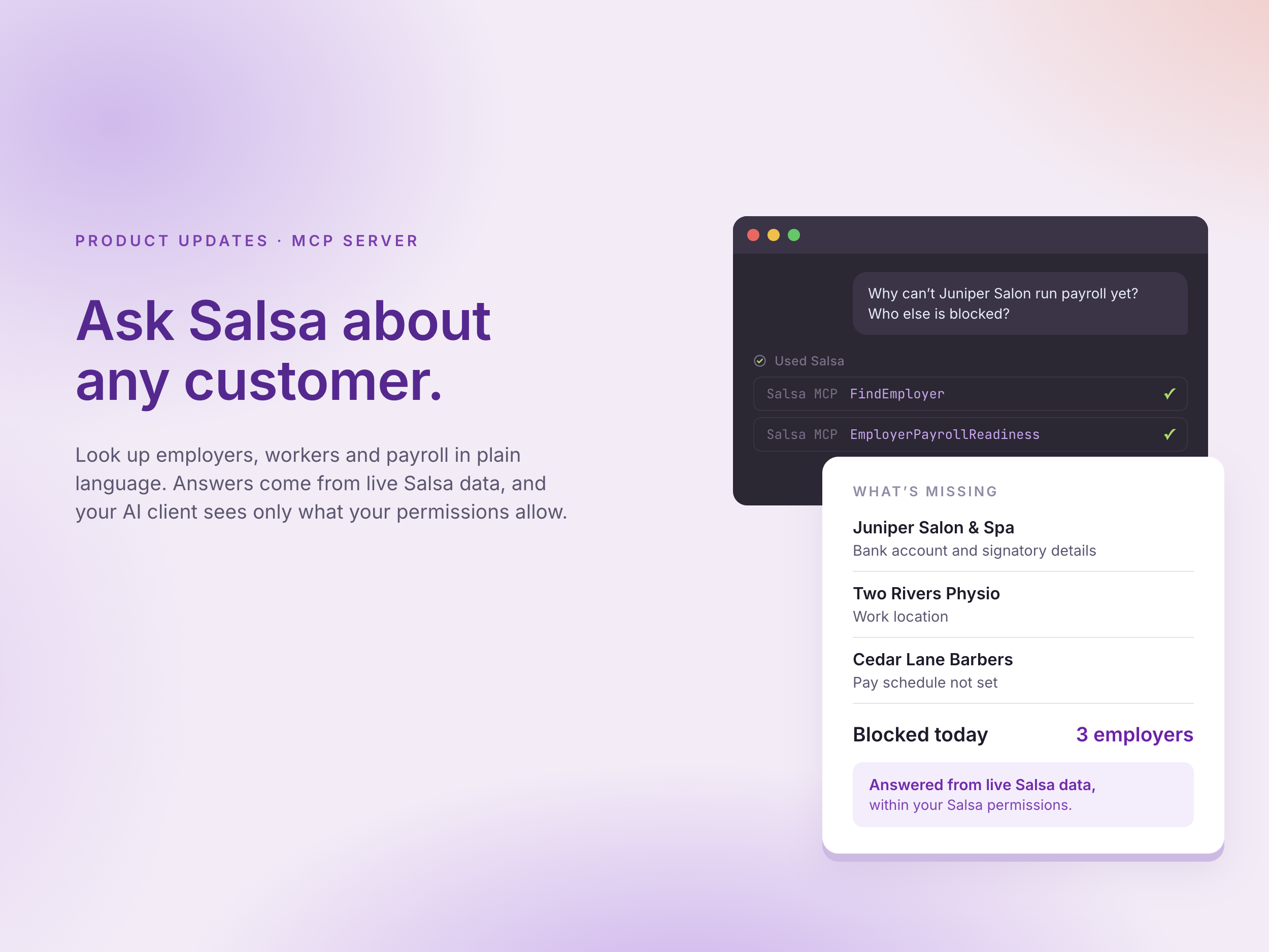
Ask which employers aren't ready to run payroll. Your AI client checks each one and tells you what's missing and who needs to act: the employer, Salsa or your team. To look at one employer, start here:
"For employer Gloss Salon, show its pay-workers readiness status and every outstanding requirement. For each requirement, say whether the employer, Salsa, or our team needs to act."
The prompt guide goes further. One workflow ranks the 20 employers most likely to miss their first or second payroll, so your team knows which ones to work first.
Engineering
Say pay data for a fictional clinic, Two Rivers Physio, keeps failing on submission. Your engineer connects Salsa in Claude Code and asks Claude Code to compare what Salsa has for that employer with what your code sends. Claude Code can explore the schema and check its queries before it runs them. Your engineer sees the gap and fixes it in the same session. To start, try:
"Use search to find the GraphQL types that describe an employer's pay groups. Summarize the fields available and give me an example query, validated against the schema, that returns them for one employer."
Product
Some questions don't have a dashboard. Your AI client can query the full schema, so you can ask them anyway:
"Show me usage metrics for all employers in my partner account for January 2026."
How it works
- Connect. Add the Salsa MCP server URL to your client. In Claude it's a custom connector, in ChatGPT it's an app, and in Claude Code, Codex or Cursor it's one command. A workspace admin can add it once for everyone.
- Sign in. The first time, your client opens the Salsa sign-in. After that, your session renews by itself.
- Ask. Your AI client picks the right Salsa tools and answers from your live data.
You decide how much your AI client can do.
But with great power comes great responsibility. Read-only mode hides every tool that can change data, and the Salsa API enforces the same limit. Only some ready-made tools can create, update or delete records.
On a read-write connection, review each tool call that changes data before you approve it. You can also add this line from the prompt guide to any prompt: "Before you create, update, or delete anything, show me the exact change, including the records affected, and wait for me to confirm."
Agent tokens expire within the hour. A token that turns up in a log tomorrow won't work. How agent access works.
AI clients can misread or misinterpret data, so check important answers in Salsa before you act on them. Data your AI client reads goes to your AI provider under that provider's terms. Review your client's settings before you connect.
Why we built it
Your teams already do their work in AI clients. Payroll data should be there too, without someone copying it in by hand.
Payroll data is personal, and the numbers have to be right. Every change moves someone's pay. That's why the controls come with the connector: your permissions, read-only mode and your approval on every change.
The math stays with Salsa. Your AI client understands the question and gets the data. Pay rates and tax withholdings come from Salsa, not from a model's guess.
Get started
- Add Salsa to your AI client. The Salsa MCP server docs have the steps for each client. Start with the read-only URL.
- If you're a developer or PM testing new prompts or agents, start in the Sandbox. Use https://graphql-mcp.sandbox.salsa.dev/mcp/readonly before you touch production data.
- Give your AI more context on Salsa from the prompt guide. It has quick lookups and four longer support workflows.
What's next
An API gives an agent access to payroll. Doing the job well takes context too: what each status means, and what has to happen before a pay date. The MCP server and its prompt guide are a first step. If you're building agents that work with payroll, tell us what you're building. We'd like to work with you early.
Stay in the know
Sign up to receive regular product updates highlighting our feature announcements and product enhancements.